1.メニューから在庫検索(名前)をクリックする
ホームメニューの在庫検索(名前)をクリックします

2.検索条件を入力して在庫を調べる
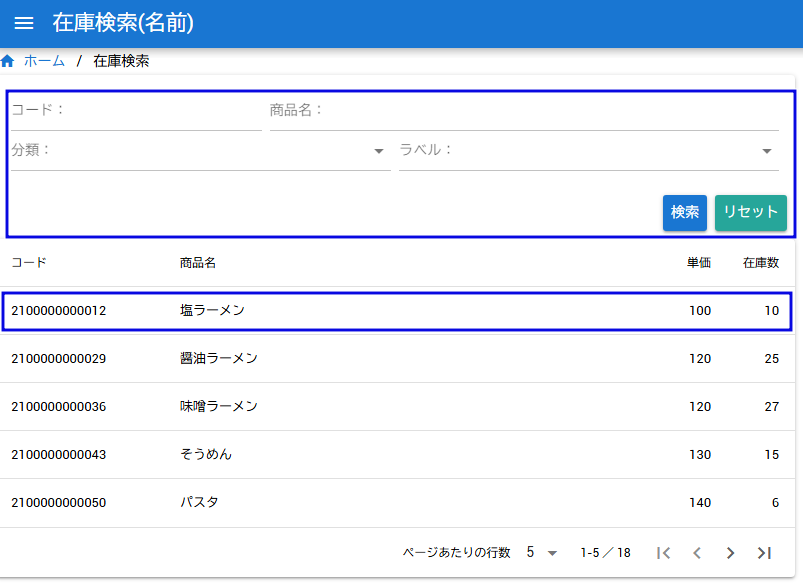
商品検索の条件を入力して「検索」をクリックします。条件に一致する商品とトータル在庫数が表示されます。
3.検索結果の商品をクリックして倉庫在庫数を見る
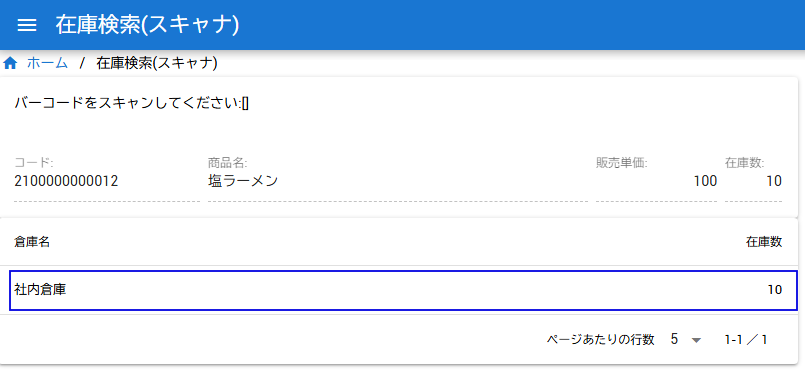
検索結果をクリックすると各倉庫ごとの在庫が確認できます
4.入出庫記録を見る
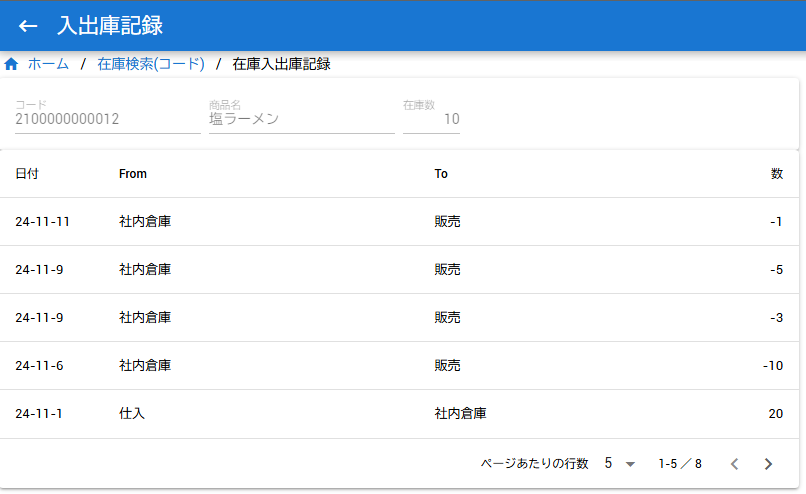
倉庫リストをクリックすると倉庫の入出庫リストが見れます

ホームメニューの在庫検索(名前)をクリックします
商品検索の条件を入力して「検索」をクリックします。条件に一致する商品とトータル在庫数が表示されます。
検索結果をクリックすると各倉庫ごとの在庫が確認できます
倉庫リストをクリックすると倉庫の入出庫リストが見れます